Your website's first screen: what it must answer
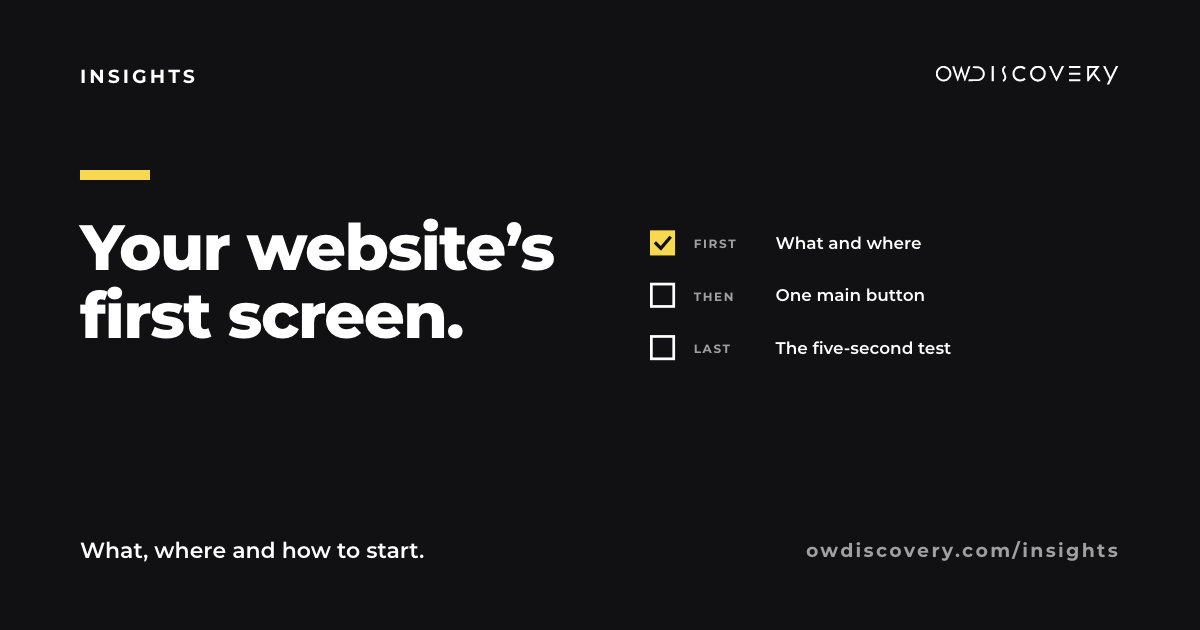
Someone saw your post, or found you on Google, and tapped through to your website. Before they scroll, they see one screen. In that screen they're looking for three answers: what you do, where you are and how to start. If the first screen answers all three, they keep going. If it says "Welcome to our website" over a blurry photo, it's easy to lose them.
In a 2018 eyetracking study of desktop screens by Nielsen Norman Group, people spent more of their viewing time on the part of a page they saw before scrolling than on any other screenful, so it does a lot of the work.
Time: about 40 to 55 minutes to check it and write down your fixes. If you make the changes yourself, add 30 to 90 minutes, depending on your website builder. You need: your phone, your website address, and someone who has never seen your site.
Step 1: open it on your phone (about 5 minutes)
Many local customers will meet your website on a phone, so start there, not on a laptop. Open it the way a customer would: tap the link from your Instagram bio or your Google profile.
Write down what you see before you scroll. Only that.
Step 2: a headline that says what and where (10 to 15 minutes)
The biggest words on the screen should say what you do and where. Your name can sit above it, but your name alone doesn't tell a stranger anything.
- "Welcome to our website" becomes "Fresh tortillas and tacos, made daily in Marietta."
- "Quality you can trust" becomes "Roof repair and replacement across Cobb County."
- "Your style, your way" becomes "Cuts and color in Kennesaw. By appointment."
Read yours out loud. If a stranger couldn't repeat it back, rewrite it.
Step 3: one main button (5 to 10 minutes)
Pick the one thing most visitors should do next, and make it the only big button on the first screen: "Order ahead", "Book a visit", "Get a quote", "See the menu".
Then tap it yourself. It should go straight to the right page, not to a home page or an empty form.
Step 4: show the real thing (5 to 10 minutes)
The first photo should be yours: your place, your product, your work or your team. A stock photo of smiling strangers tells people you're like everyone else. A clear photo of your actual counter, cake or finished deck tells them they're in the right place.
If you don't have a good one yet, take it this week in daylight, from the angle a customer sees.
Step 5: hours and location within reach (about 5 minutes)
Your hours and your town should be on the first screen or one tap away. Check that they match your Google profile exactly. Two different versions of your hours is the fastest way to lose someone who was ready to come in.
Step 6: check the speed (about 5 minutes)
Put your address into PageSpeed Insights, a free tool from Google, and look at the mobile result. If it's slow, large photos are a common cause, and most website builders let you replace them with smaller versions.
Last: the five-second test (about 5 minutes)
Show your first screen to someone who has never seen it, for five seconds. Then ask:
- What does this business do?
- Where is it?
- What would you tap?
If they can answer all three, your first screen is doing its job.
The short version
On a phone, before scrolling: say what you do and where, one button that works, a real photo, your hours within reach, and a page that loads quickly. Then test it on a stranger.
If you'd rather spend that time on your business, answer a few questions at owdiscovery.com/contact-us and we will build your personalized proposal.
Sources
- Nielsen Norman Group, "Scrolling and Attention" (2018 eyetracking study on desktop screens): people spent about 57% of their page-viewing time above the fold, and 74% in the first two screenfuls. https://www.nngroup.com/articles/scrolling-and-attention/
- Google PageSpeed Insights, a free tool for checking how fast a page loads on mobile and desktop. https://pagespeed.web.dev/