How to promote an event: announce, remind, last call
An open house, a first class, a recital, a wine night, a holiday market. Most local events get one post, two weeks before, and then nothing. By the night itself, the people who saw that post have forgotten the date, and the people who didn't see it never knew.
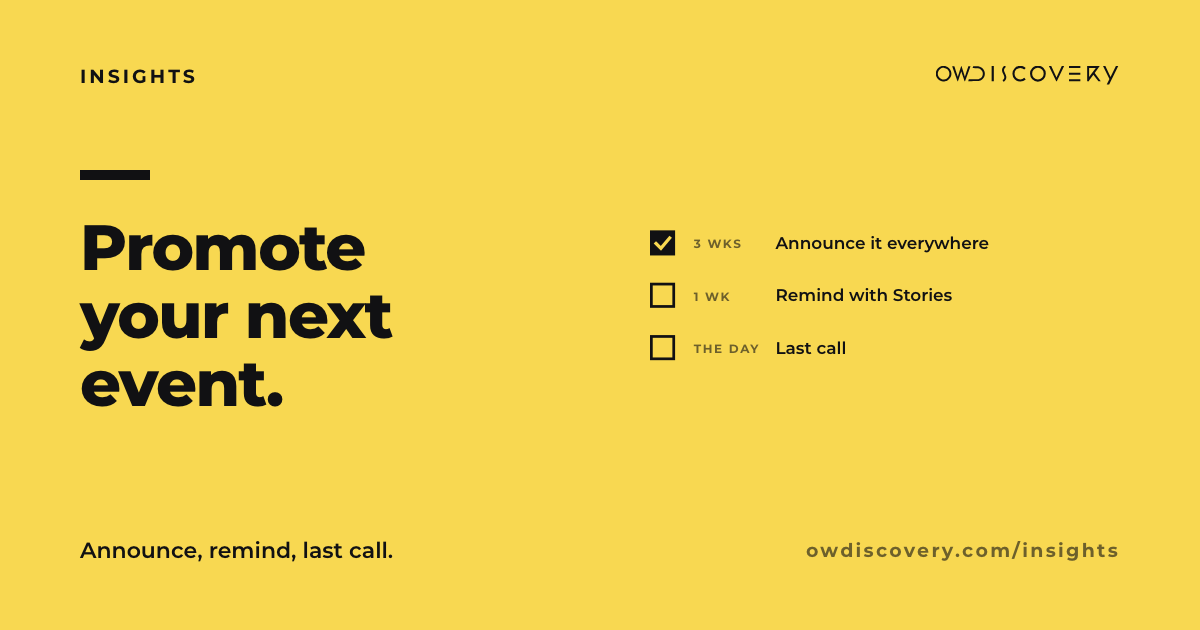
People need to see an event more than once. Not ten times. Three moments, in the right places, are enough: announce it, remind people, and give a last call.
Before you post anything: one card
Write five lines and keep them the same everywhere:
- What it is, in one sentence a stranger understands.
- When: the day, the date and the start and end time.
- Where: the address, and how to find the door if it's not obvious.
- Who it's for: families, beginners, regulars, anyone.
- How to come: just show up, reply, book a spot, or buy a ticket. If there's a price or a limit, say it here.
Every post, Story and update in the next three weeks comes from this card. When something changes, you change the card first, then everything else.
Moment 1: announce (two to three weeks out)
This is the post people save and share, so give it the full picture.
- A feed post or carousel on Instagram and Facebook: the first image says what and when, the next ones show what it will look like (last year's photos, the room, the people, the food).
- Pin it to the top of your profile until the event is over.
- A Facebook event on your Page, so people can mark themselves interested and see it in their calendar.
- An event post on your Google Business Profile. Google lets you post an event with a title, start and end dates and times, and a button that links to where people sign up. People searching for you will see it right on your profile.
If spots are limited, say how many and how to save one. If they aren't, don't suggest they are.
Moment 2: remind (the week before)
The announcement did its job. Now you're reminding people who already meant to come, and catching the ones who missed it.
- Stories are your reminder tool. They're quick, they don't crowd your feed, and they disappear on their own. Post one or two in the week before: a behind-the-scenes look at the setup, the menu, the playlist, the person who will lead the class.
- Instagram's countdown sticker fits here. Add it to a Story with the event's date and time, and people can tap it to get a reminder when the countdown ends.
- Answer questions in public. If someone asks about parking or kids in the comments, answer there. The next person had the same question.
Moment 3: last call (the day before and the day of)
- The day before: a Story with the time and the door. "Tomorrow, 6 to 8 p.m. Side entrance on Main Street."
- The day of: a Story in the morning, and one an hour before it starts. Show something real: the room set up, the first tray out of the oven, the chairs in a row.
- If spots are still open, say so plainly. If you're full, say that too. People appreciate knowing before they drive over.
- Update your Google post if anything changed, like a later start or a sold-out notice.
After: say thank you
One post with photos from the night, and a line of thanks. Then save the event Stories to a Highlight on your profile, so the next person who finds you can see what your events are like. Ask before you show anyone's face, and always ask a parent before you show a child.
That post is also your first announcement for the next one.
Three examples
| Announce | Remind | Last call | |
|---|---|---|---|
| A fitness or dance studio's open house | Carousel: the date, the free trial class, the room, the instructors. Google event post with a sign-up button. | Stories: the playlist, the mats laid out, "bring water and comfortable shoes." Countdown sticker. | Story the morning of: "Doors at 10. No experience needed." |
| A school's open enrollment night | Feed post with the date, the time and who should come. Facebook event. Google event post. | Stories: a classroom, a teacher's welcome line, where to park. | Story an hour before: the front door, lights on. |
| A restaurant's wine dinner | Carousel: the menu, the wines, the price, how to reserve. Google event post with the reservation link. | Stories: the kitchen prepping, a close look at one course. | Story the day before if seats are open: "A few seats left for tomorrow." Only if true. |
A few rules that keep it honest
- Same details everywhere. If the time changes, change it on every post, the Facebook event and the Google post the same day.
- Real scarcity only. "Last few spots" means there are only a few spots left.
- Prices up front. If it costs something, the first post says so.
- Your field's rules still apply. Licensed practices, alcohol events and anything involving children often have advertising or permission rules. Check with your licensing board or organizer if you're not sure.
The short version
One card with the details. Announce two to three weeks out, everywhere people look. Remind with Stories the week before. Last call the day before and the day of. Then say thank you, and start the next one.
If you have events coming up, answer a few questions at owdiscovery.com/contact-us and we will build your personalized proposal, with a countdown plan for your next event.
Sources
- Google Business Profile Help, "Create and manage posts on your Business Profile": https://support.google.com/business/answer/7342169 (event posts need a title, start and end dates and times, and can include an action button).
- Social Media Today, "Instagram Adds New Countdown Sticker to Instagram Stories" (2018): https://www.socialmediatoday.com/news/instagram-adds-new-countdown-sticker-to-instagram-stories/544247/ (viewers can tap the sticker to set a reminder for when the countdown ends).