Five Google Business Profile fixes you can make this week
When someone nearby searches for "coffee near me" or "massage in Marietta," your Google Business Profile is often the first thing they see about you. Before your website. Before your Instagram. It shows your hours, your photos, your reviews and a button to call or get directions.
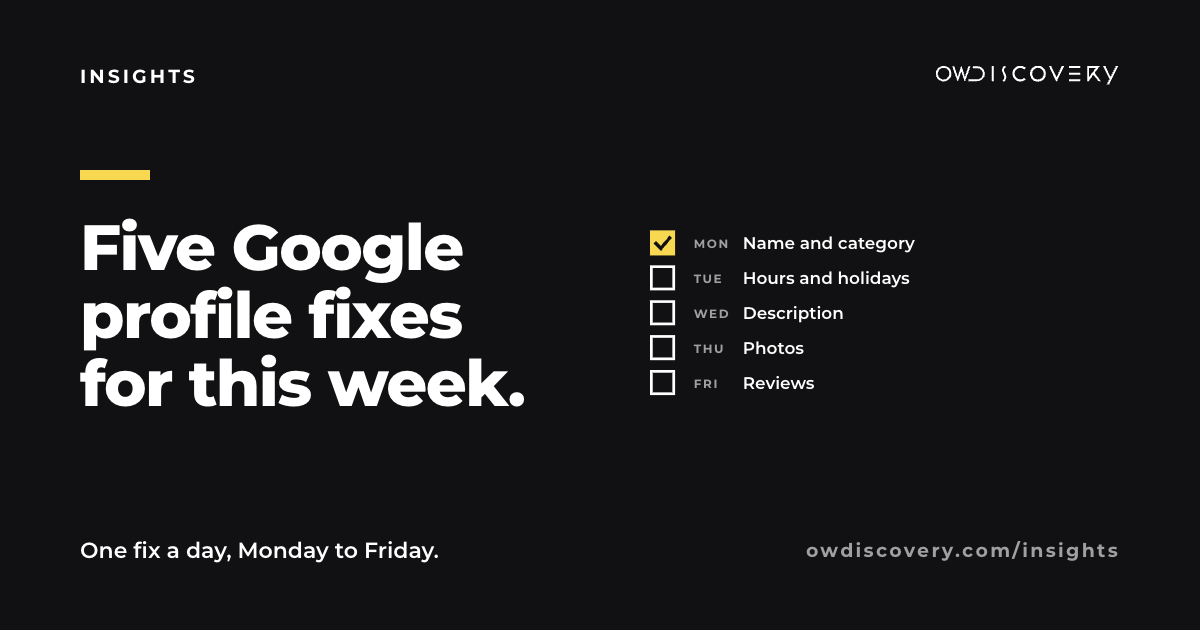
It is also free, and it is easy to let it drift out of date. Here are five fixes, one for each weekday. Each fits in a short sitting, and you can make all of them from the Google Maps app or by searching your business name on Google while signed in.
A note first: Google says local results are based on three things: relevance (how well your profile matches the search), distance, and prominence (how well known your business is, including reviews). It also says there is no way to pay for a better local ranking. What you can do is make your profile complete, accurate and active. That is what these five fixes cover.
Monday: your name and your main category
Name. Your profile name should match the name on your sign, your receipts and your storefront. Google's guidelines do not allow extra keywords, taglines or locations in the name, and adding them can get a profile suspended. "Oak Street Massage" is right. "Oak Street Massage Best Massage Marietta GA" is not.
Primary category. This is the most important choice on the profile. Google asks you to use as few categories as possible and to make them as specific as you can. A useful test from its guidelines: finish the sentence "This business is a..."
- A pizza place is a "Pizza restaurant," not just "Restaurant."
- A massage practice is a "Massage therapist," not "Spa," unless it is one.
- A coffee counter is a "Coffee shop."
- A roofer is a "Roofing contractor," not "Contractor."
Add secondary categories only if they are a real part of the business, not things you occasionally do.
Tuesday: hours, including special hours
Wrong hours cost you twice: a customer drives over to a locked door, and then they tell someone about it.
- Check your regular hours against what is on your door today.
- Add special hours for the holidays ahead. Thanksgiving, Christmas Eve, Christmas Day and New Year's Day are the usual ones. Set them now so you do not forget in December.
- If you close for weather, a private event or a family day, update special hours that morning. It takes a minute from your phone.
- If you are appointment only, say so, and list the hours you take appointments.
Wednesday: your business description
You get up to 750 characters to say what you do. Google asks that it describe the business itself, with no links and no promotions or prices. Many profiles leave it blank or paste a slogan.
A simple structure that works for almost any business:
- What you do and who it is for.
- Where you are, in words locals use.
- What is different about you.
- How to get started.
Here is an example for a home cleaning company:
We are a family run home cleaning company serving Kennesaw, Acworth and west Cobb. We clean houses weekly, every other week, or once before a move. The same small team comes to your home each visit, and we bring our own supplies. Call or message us for a quote and a first cleaning date.
Short, plain and useful. No hype needed.
Thursday: photos that answer questions
Photos do real work on your profile. People use them to decide whether you are the right place and to find you when they arrive. Look at your profile the way a first time visitor would and add what is missing:
- The outside, from the street. Especially if you are inside another building, in a shopping center, or down a side road. Show the door and the sign.
- The inside. Tables, the treatment room, the showroom, the waiting area.
- The work. Your dishes, your finished jobs, your products.
- The people. You and your team, with permission.
Then remove photos that are years old or show a layout, menu or sign you no longer have. Customers may also add photos. You cannot delete theirs, but you can add better ones of your own so they are not the only view.
Friday: reviews, both asking and answering
Answer every review. Google lists responding to reviews among the ways to improve your local presence. It also shows the next reader how you treat people. Keep replies short and specific. Thank people by name and mention what they came in for.
For a negative review, stay calm and take it offline:
Thank you for telling us, Jordan. That is not the experience we want anyone to have. Please call us at the shop so we can make it right.
Ask every customer the same way. Google's rules say you may ask customers for reviews, but you may not offer anything in return (no discounts, freebies or entries into a drawing), and you may not ask only the customers you expect to be happy. Asking everyone is both allowed and more believable.
The easiest way is to copy your review link from your profile and use it everywhere: on your receipt, on a small card at the register, in your follow up text after an appointment.
After this week
Once these five are done, the profile mostly needs attention in small moments: new photos each month, special hours before each holiday, and replies to reviews as they come in. Put a recurring reminder on your calendar for the first Monday of each month.
If you would like a second set of eyes on your profile, we are glad to take a look. Answer a few questions at owdiscovery.com/contact-us and we will build your personalized proposal.
Sources (Google pages are not dated)
- Google Business Profile Help, "Tips to improve your local ranking on Google": https://support.google.com/business/answer/7091
- Google Business Profile Help, "Guidelines for representing your business on Google": https://support.google.com/business/answer/3038177
- Google Business Profile Help, "Manage your Business Profile description": https://support.google.com/business/answer/13682007
- Google Maps User Contributed Content Policy, "Fake engagement": https://support.google.com/contributionpolicy/answer/7400114